 Database
ClubHam Logger
The Windows logger, connected to the platform
ClubHam Logger is the Windows application you use to log contacts as they happen — on a DX operation, a DXpedition or a contest. It works offline: the log stays on your computer and the contacts go up to your logbook in ClubHam Database whenever you are online (a ClubHam member feature).
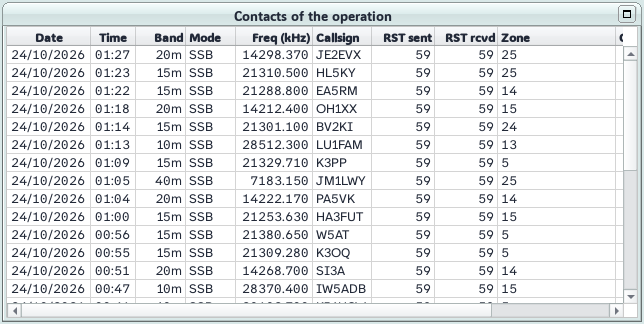
For contests
- Contact entry with the contest exchange, dupe warnings and partial callsign checking (check partial).
- CW message keys F1 to F12, in Run and S&P modes.
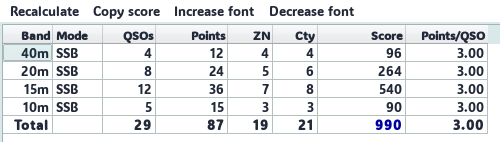
- Band-by-band contest score with the multipliers from the rules, and Cabrillo file generation.
Radio and monitoring windows
Control of up to two radios (CAT), DX Cluster with Band Map, Gray Line with the spots on the map, an azimuthal map of the station being called, operation statistics, the POTA, SOTA & WWFF map and integration with WSJT-X, JTDX, JS8Call and MSHV for digital modes.
|
|
|
|
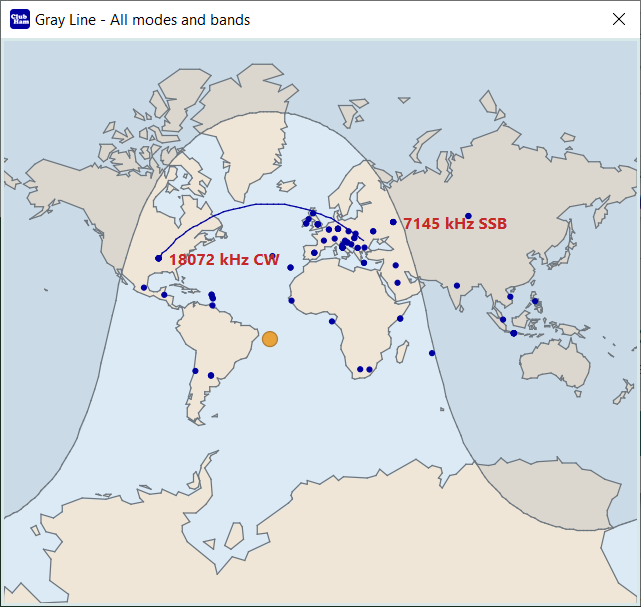 Gray Line — DX Cluster spots on the map
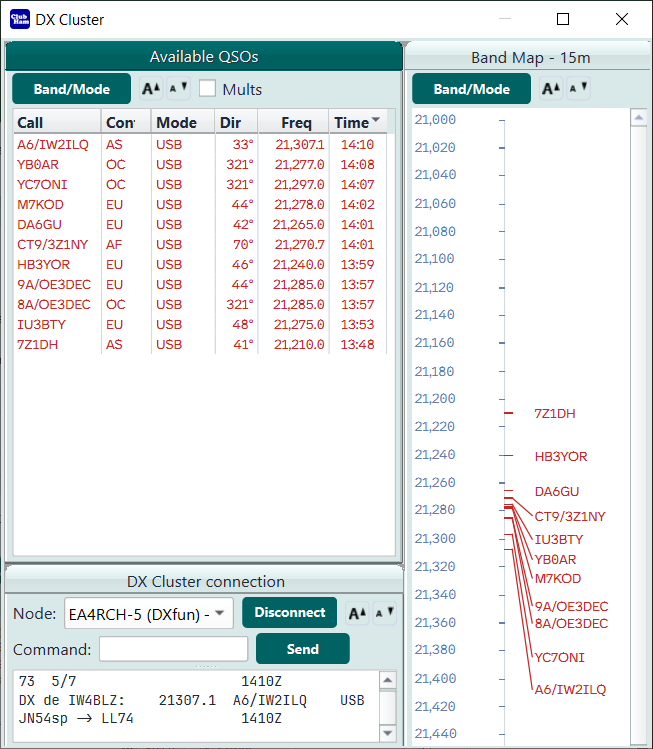 DX Cluster, Band Map and spotted stations (contest filter)
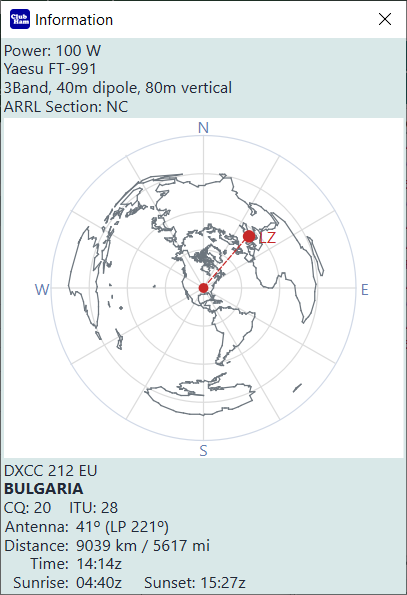 Information about your station and the station being worked
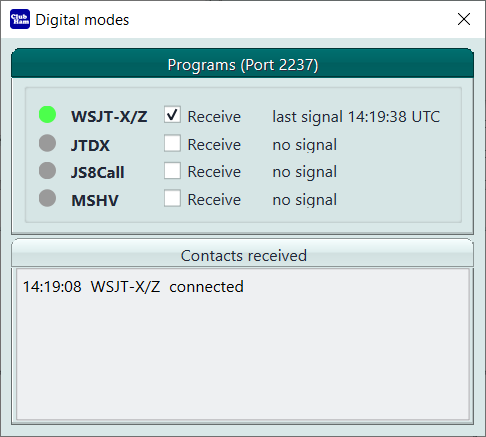 Connection to WSJT-X for automatic logging
Connected to ClubHam Database
The Logger receives from the platform the DXCC entities, bands, modes, contests and their rules, your licenses and your locations, and it confirms contacts in LoTW through it. Installation and pairing are under User area, Access: ClubHam Logger.