 Database
Logbook and ADIF import
Your entire history in one place
ClubHam keeps the logbook of all your stations — your personal one, club stations and special callsigns — and organizes the contacts by operation: every contest you took part in and every year of DX activity. You get both the full logbook view and a view of each operation on its own.
Importing your logs
Import the ADIF files produced by your logging software — N1MM, Logger32, HRD, Log4OM, DXLog and others. A single file can hold contacts from several stations and many years: the platform splits the operations, suggests the contest and the location for each one and saves only after you have reviewed them. Re-importing a file never duplicates contacts.
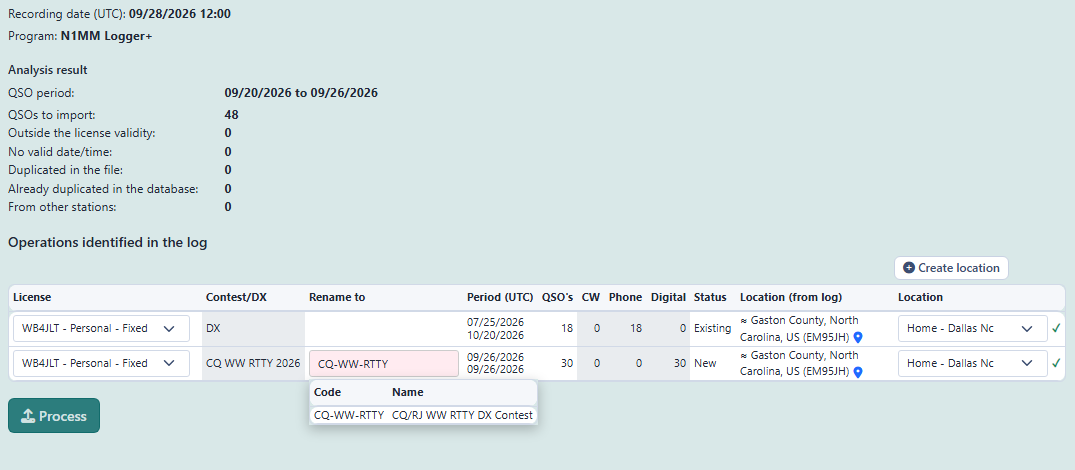
For each contact, the platform identifies the DXCC entity, the continent and the CQ and ITU zones from the callsign prefix.
My logbook
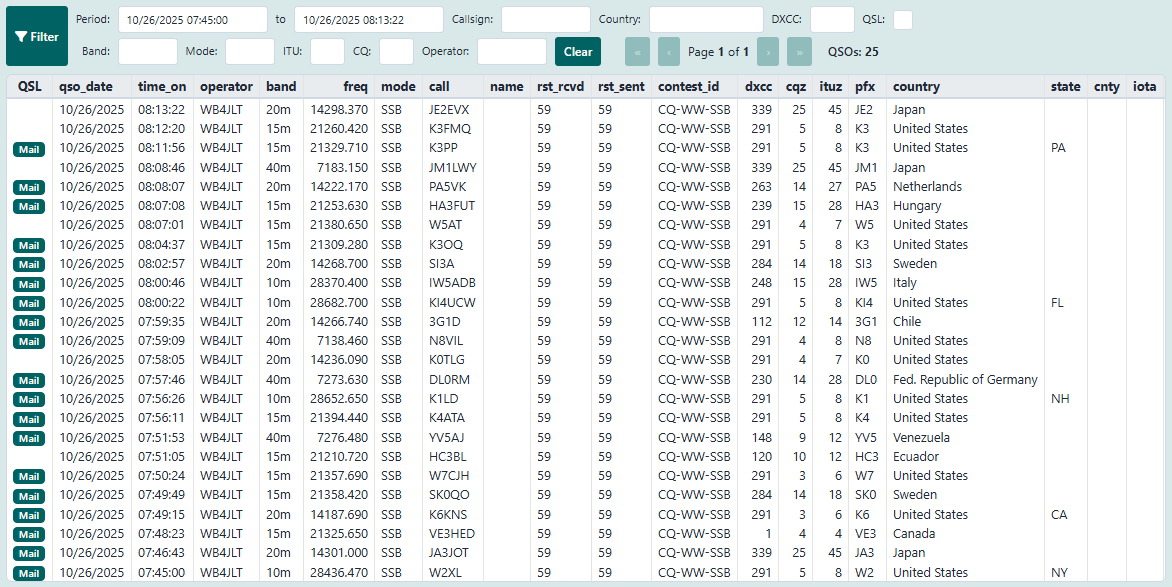
Browse, filter, correct and export a station’s contacts from all operations: by period, callsign, entity, band, mode, zone or confirmed only. The column headings follow the ADIF tags, and you choose which columns to show.
Each operation with its own story
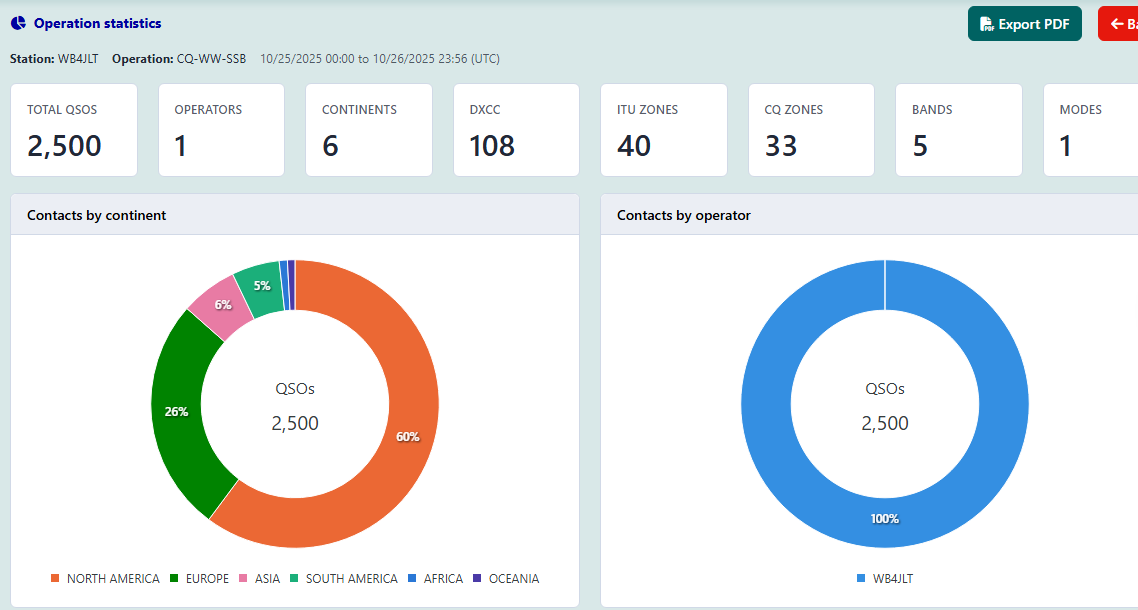
In Operations, each contest or DX activity brings together the license, the location, the operators, the category you entered, statistics in charts, the certificate you received, the story and the photo gallery — and it can be published on the ClubHam social network.
Logging while you operate
Contacts also reach your logbook from ClubHam Logger on your computer and ClubHam Mobile on your smartphone, without you having to export and import files (a ClubHam member feature).